Invite your crew
Create invite links and QR codes so your mates can join the cave from their own phones — free for them.
Invites let your mates join the cave as guests — they can browse the leaderboard and log games from their own phones. Guests never pay; billing is the owner's job alone.
Create an invite
- Open the Players tab.
- Scroll down to Player admin → Invites (owners only see this section).
- Tap Create invite link.
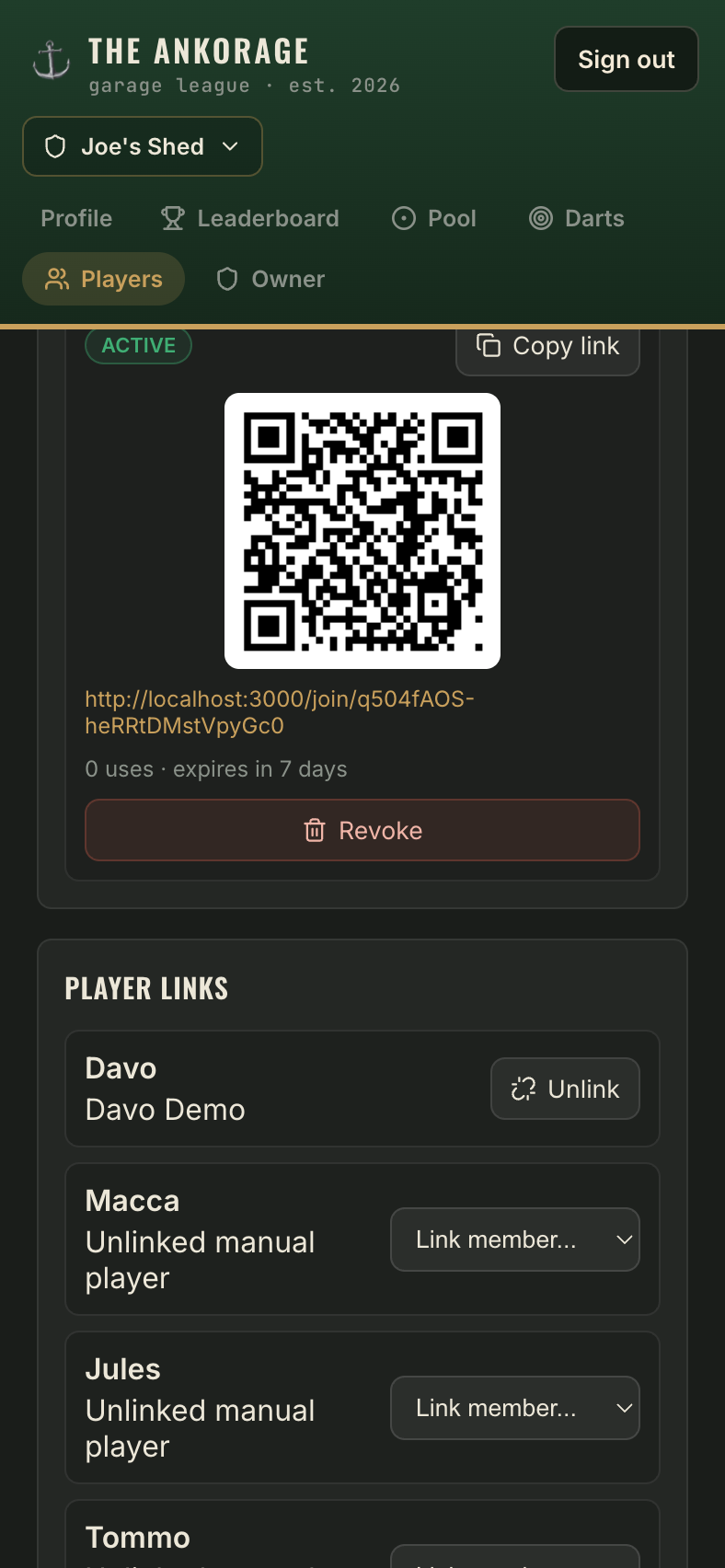
- A card appears with everything you need to share:
- A QR code — point a phone camera at the screen and it opens the join page.
- The link itself, with a Copy link button for texting it to the group chat.
How invites behave
- Each invite works for 7 days, then expires on its own.
- One invite can be used by multiple people — the card shows a running use count.
- You can have up to 50 active invites at once (you'll rarely need more than one).
Revoke an invite
Sent the link to the wrong group chat? Tap Revoke on the invite card — the link stops working immediately. Anyone who already joined stays in the cave; revoking only blocks new joins. To remove someone who already joined, see Members & roles.
After they join
New joiners appear in your Members list as guests. To make their games count toward their own stats, link them to their player on the roster.